Register with Blackbull Markets
Our trading account is managed through Blackbull Market, a regulated broker based in New Zealand. Click on the link below to register with Blackbull Markets.

Our trading account is managed through Blackbull Market, a regulated broker based in New Zealand. Click on the link below to register with Blackbull Markets.

Once your registration have been approved by Blackbull Market, the next step is to open a "Follower" account. In this process, it will ask you to specify who to follow. Choose MarketMakerCapitalAustralia-Mixed.

The last step is to fund your account. The minimum is AUD$1,000. Once you have funded your account, please notify us via email so we can confirm if your account has been connected successfully.
Please follow the steps below for more details.
Click on this link to register with Blackbull Market. Follow the steps below for more details:
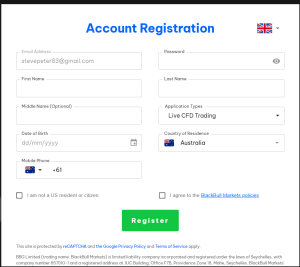
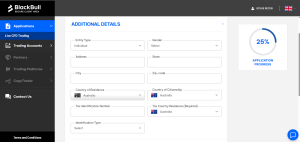
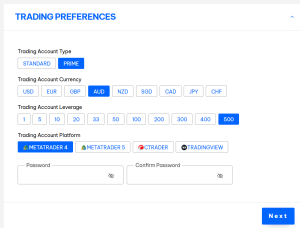
Once your registration is approved, you can start the process to follow our trades.
Once your Blackbull Markets account is fully verified, you can now create a "Follower" account to be connected with our trading account.
To do so:
Blackbull Markets will review your application and once it's approved, a new trading account will be created.
Go to Trading Accounts > Investor and your newly created Investor account will be listed there.
Finally, you can fund your account by going to My Wallet > Add Funds.
You can use various payment methods to fund your account.
When funding your account, Blackbull Markets might enforce you to deposit into your Wallet account first (separate from your trading account). Then, you can do an Internal Transfer to transfer fund from your Wallet account into your Investor/Follower account.
